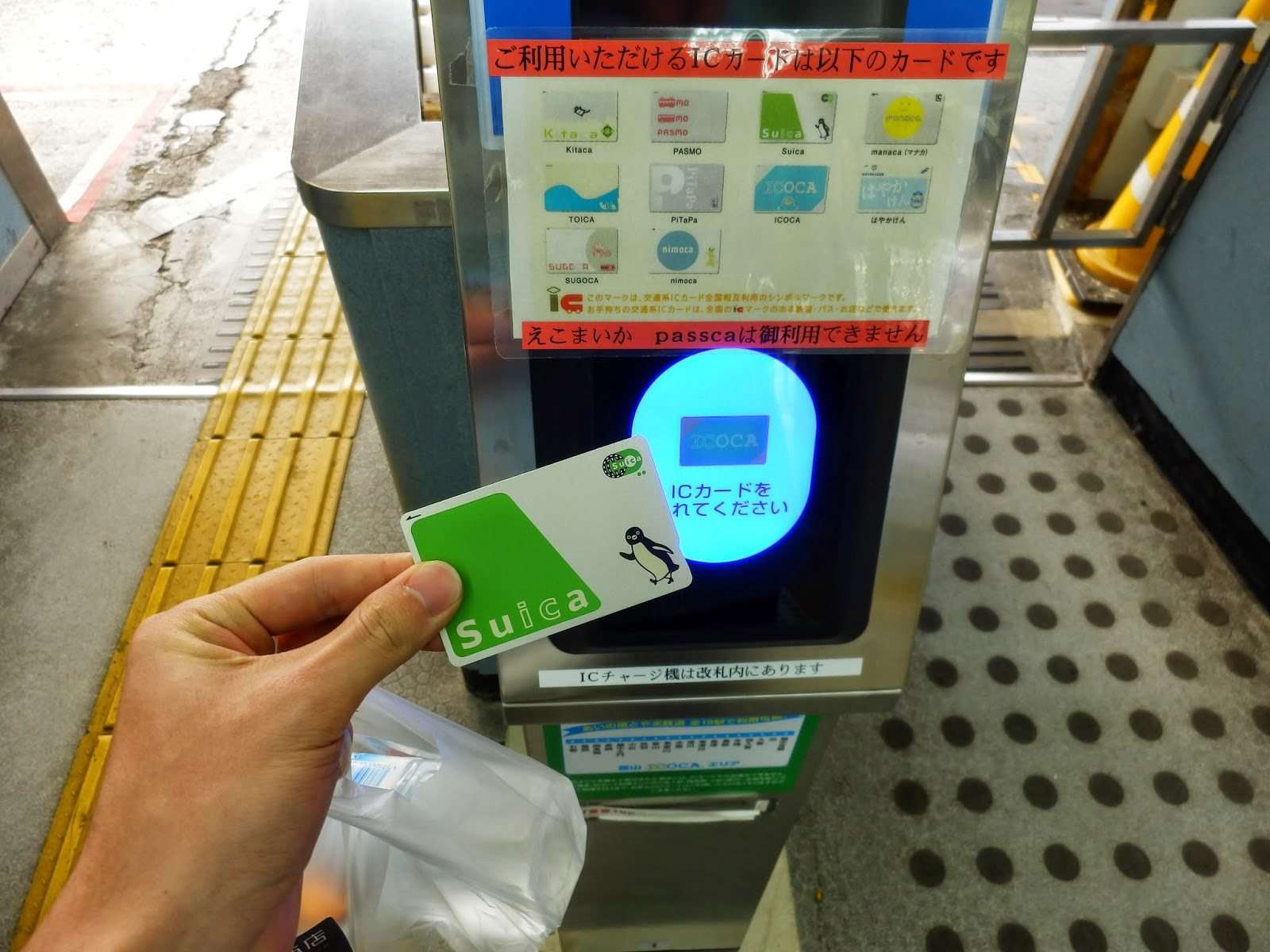
“IC Cards across Osaka and Tokyo” and “Money exchange and Suica card” are typical japan-guide forum thread titles. The first worry has a short answer: every major IC card works in every big city. Which card you get comes down to your phone and the airport you land at.
Which IC card should you get?
Three questions. The answer updates as you choose.
Get this
Suica (or ICOCA) in Apple Wallet
Add it at home: Wallet → + → Transit Card → Suica → Add New Card, and load it from a payment card in Wallet. Express Mode turns on by itself, so you tap without unlocking. The card stays on your phone for the next trip.
Based on JR East, PASMO, JR West and Apple pages, checked 29 November 2026.
The cards side by side
| Card | Deposit | Lasts | Refund | Top up |
|---|---|---|---|---|
| Suica, PASMO, ICOCA in Apple Wallet | None | Stays on the phone | n/a | From a card in Wallet |
| Welcome Suica Mobile (iPhone app) | None | 180 days | No | In the app |
| Welcome Suica (card) | None | 28 days | No | Cash only |
| TOURIST PASMO | None | 28 days | No | Cash only |
| Regular Suica or PASMO | ¥500 (≈ NZ$5.7) | 10 years if used | Yes, minus ¥220 (≈ NZ$2.5) | Cash only |
JR East, PASMO, JR West and Apple, checked 29 November 2026. Every card tops up to a maximum balance of ¥20,000 (≈ NZ$229).
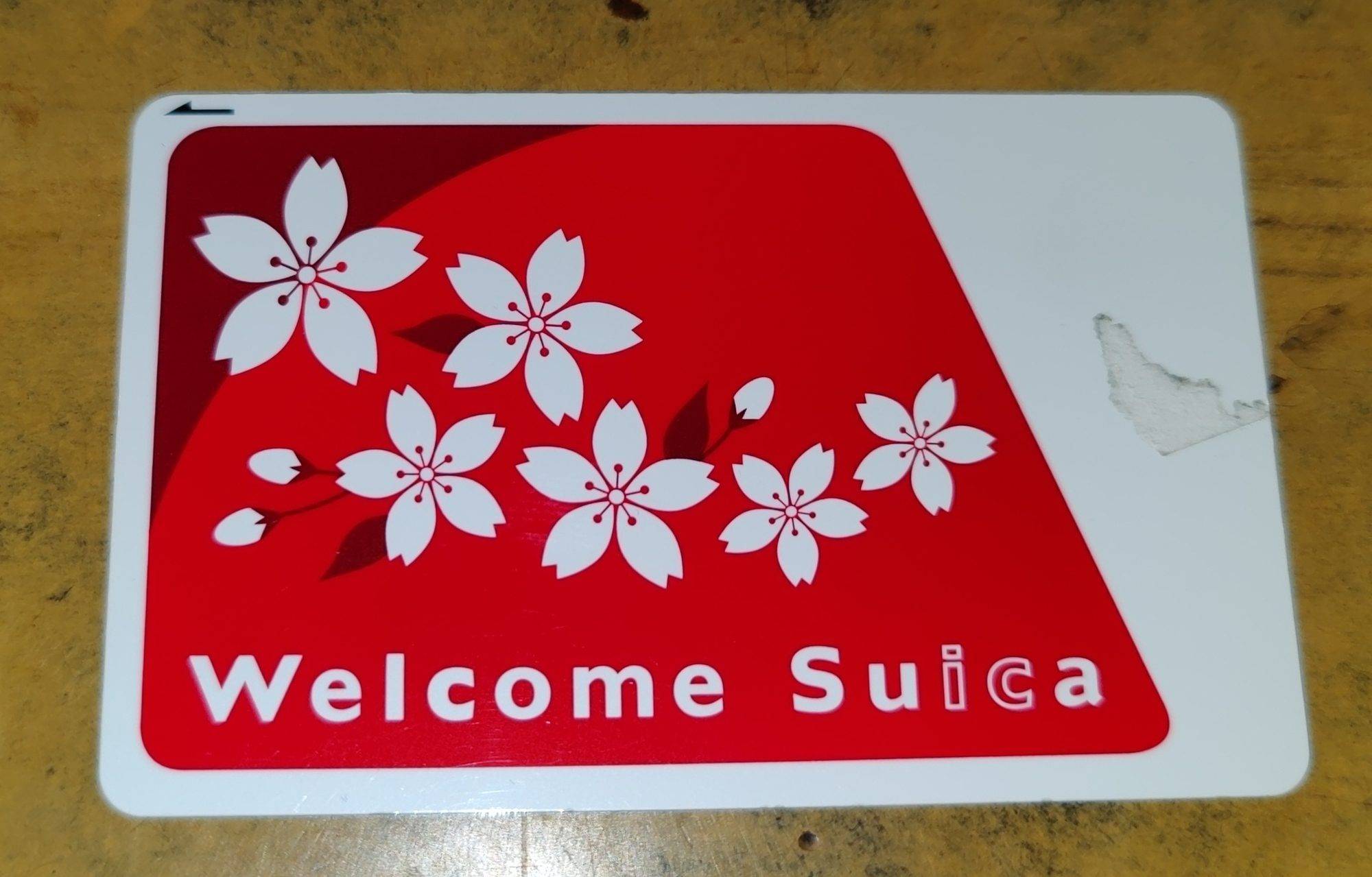
Setting it up on an iPhone
- Check the phone. Apple lists an iPhone 8 or later on the latest iOS it supports, an Apple Account with two-factor authentication, and an eligible payment card already in Wallet.
- Add the card. Open Wallet, tap the + button, then Transit Card. Pick Suica, PASMO or ICOCA, tap Add New Card and choose an amount.
- Leave Express Mode on. It switches on for your first transit card, so you tap the gate reader without unlocking or opening anything.
- Top up in Wallet when the balance runs low. A FlyerTalk thread titled “Possible Workaround for Digital Suica without MC or Amex?” sums up a common snag: some foreign Visa cards are declined for Suica top-ups. Add a second card before you fly, just in case.
If you have an Android phone
Plan on plastic. PASMO’s visitor site says Android phones bought outside Japan are in general not compatible with Mobile PASMO, and Welcome Suica Mobile is iPhone only. JR East and Samsung announced in April 2026 that Galaxy phones sold abroad from 2027 will get Welcome Suica Mobile, but models and countries have not been named.
Leaving the big cities
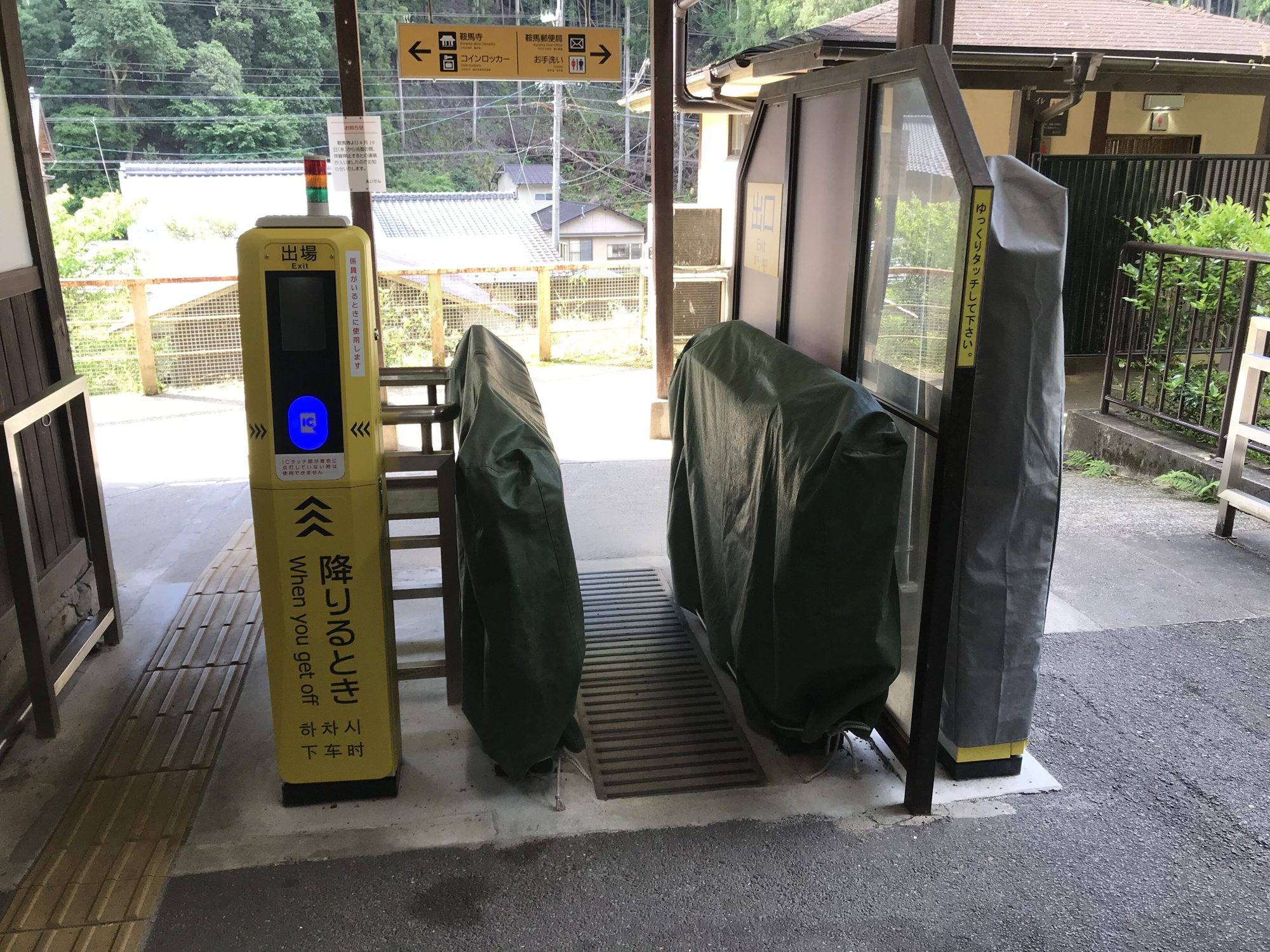
Each card works inside one area at a time. JR East’s example: you cannot ride from the Tokyo area into the Sendai area on Suica. The same goes for JR Hokkaido, where IC cards work only around Sapporo–Asahikawa and Hakodate, and not between them.
Heading to Hakuba? Since March 2026, JR Hakuba and Shinano-Omachi stations take Suica as part of the Tokyo area. Several smaller stations on the Oito Line between Hotaka and Hakuba still do not.
Your decision
- iPhone: add Suica in Wallet at home, with a backup card. Done before you board.
- Android, Haneda: TOURIST PASMO from the Keikyu ticket machines by the gates.
- Android, Narita: Welcome Suica from the machines in the airport’s JR station.
- Android, Kansai: the visitor ICOCA at the JR ticket office, passport in hand.
- Back within a few years: a regular Suica or PASMO, so the balance waits for you.
Short on data for the train apps? Our eSIM vs pocket Wi-Fi guide has the setup steps.
The details
Where to buy Welcome Suica and TOURIST PASMO
| Where | Locations |
|---|---|
| Welcome Suica machines | Narita Airport Terminal 1 and Terminal 2·3 stations, Haneda Airport Terminal 3 (Tokyo Monorail) |
| JR EAST Travel Service Centers | The same airport stations, plus Tokyo, Shibuya, Shinjuku, Ikebukuro, Ueno, Yokohama, Sendai |
| Others | JAPAN RAIL CAFÉ TOKYO, TAKANAWA GATEWAY Travel Service Center |
One card per person in principle. ¥1,000 (≈ NZ$11), ¥2,000 (≈ NZ$23), ¥3,000 (≈ NZ$34), ¥4,000 (≈ NZ$46), ¥5,000 (≈ NZ$57) or ¥10,000 (≈ NZ$114). Several city service centres (Kawasaki, Omiya, Niigata and others) have paused sales. Checked 29 November 2026.
| Airport | Where | Amounts |
|---|---|---|
| Haneda Terminal 1·2 (Keikyu) | Ticket machines for travellers at the Terminal 1 and Terminal 2 gates, cards accepted | ¥1,000 to ¥10,000 (≈ NZ$11–114) |
| Haneda Terminal 3 (Keikyu) | Keikyu Tourist Information Center, 2F arrivals, and the machine beside it | ¥1,000 to ¥10,000 (≈ NZ$11–114) |
| Narita Terminals 1 and 2 (Keisei) | SKYLINER & KEISEI INFORMATION CENTER | ¥2,000 (≈ NZ$23) |
Source: PASMO. No deposit, valid 28 days from purchase, no refund.
Regular cards, refunds and Welcome Suica Mobile
Unregistered Suica and PASMO cards went back on sale on 1 March 2025 after a chip shortage. A regular Suica returned at a JR East station refunds the ¥500 (≈ NZ$5.7) deposit plus the balance minus a ¥220 (≈ NZ$2.5) fee; with less than ¥220 (≈ NZ$2.5) on it, you still get the full deposit. It lapses only after 10 years unused.
Welcome Suica Mobile issues a Suica inside an iPhone app, valid 180 days from issue, with no refund of the balance. It needs an Apple Pay device and users aged 13 or over, and in some countries the law blocks setup or top-ups until you are in Japan. Its extra: Green Car tickets on JR East local trains and Shinkansen seat booking inside the app.
The visitor ICOCA (¥2,000 (≈ NZ$23) including a ¥500 (≈ NZ$5.7) deposit) is sold only at the JR ticket office at Kansai-airport Station, to holders of a non-Japanese passport with Temporary Visitor status, one per person. Apple Wallet supports ICOCA cards issued by JR West only.
What a card pays for, and what it doesn't
Covered: local and rapid trains, subways, monorails and buses in the IC areas (the fare is worked out when you exit), plus convenience stores, station shops, vending machines and coin lockers showing the IC logo. JR East says Welcome Suica cannot be used for shopping in the PiTaPa area.
Not covered: Shinkansen and limited express seats, Green Cars on JR East local trains unless you buy a Green Car ticket, and trips that cross from one IC area into another.
For your first ride into the city, the Tokyo to Kyoto Shinkansen guide covers which gates take tickets and which take IC cards only.
Questions
Does a Suica bought in Tokyo work in Osaka and Kyoto?
Yes. Suica, PASMO, ICOCA and seven other IC cards are accepted on each other's networks, so a Suica works on trains, subways and buses in Osaka and Kyoto, and an ICOCA works in Tokyo.
Can I put Suica on an Android phone bought outside Japan?
Generally not yet. PASMO says Android phones bought outside Japan are in general not compatible with Mobile PASMO, and JR East's visitor app, Welcome Suica Mobile, is iPhone only. JR East and Samsung have announced Welcome Suica Mobile support for Galaxy phones sold abroad from 2027, with models still to be named.
Can I get my money back from a Welcome Suica?
No. JR East does not refund a Welcome Suica or the balance left on it. A regular Suica refunds the ¥500 (≈ NZ$5.7) deposit and the balance minus a ¥220 (≈ NZ$2.5) fee when you return it at a JR East station.
Can I use Suica on the Shinkansen?
Not on its own. An IC card covers local and rapid trains, subways and buses. Shinkansen and limited express trains need a separate limited express ticket, which Welcome Suica Mobile users can buy in the app.
Can I ride from Tokyo to Sendai or Nagoya on one IC card trip?
No. JR East says Suica cannot be used for a continuous trip from one IC area into another, for example from the Tokyo area to the Sendai area. Buy a paper ticket for the whole journey, or leave the gates and start a new trip.
Does Suica work in Hakuba?
Yes, at JR Hakuba and Shinano-Omachi stations, which joined the Tokyo-area Suica network in March 2026. Some smaller stations on the same line still do not take it, and limited express trains need a separate ticket.
Sources
- JR East: Welcome Suica (features and areas)
- JR East: Welcome Suica purchasing, top-up and refunds
- JR East: Welcome Suica Mobile
- JR East: Suica (deposit, top-up, refunds, areas)
- JR East Nagano branch: Suica at Shinano-Omachi and Hakuba stations (Japanese)
- JR East: Suica service at Shinano-Omachi and Hakuba from 14 March 2026, press release of 12 December 2025 (PDF, Japanese)
- Samsung Electronics Japan: Welcome Suica Mobile on Galaxy phones sold abroad, 21 April 2026 (Japanese)
- Tokyo Metropolitan Bureau of Transportation: Sales of unregistered Suica and PASMO cards resume, 18 February 2025 (Japanese)
- PASMO: TOURIST PASMO
- PASMO: For international visitors
- JR West: ICOCA guide (visitor ICOCA)
- JR Hokkaido: Kitaca usable areas
- Apple Support: Add a transit card to Apple Wallet in Japan